gmat-czml
Convert GMAT — and any canonical-schema — trajectories to CZML for browser-based 3D Cesium visualization.
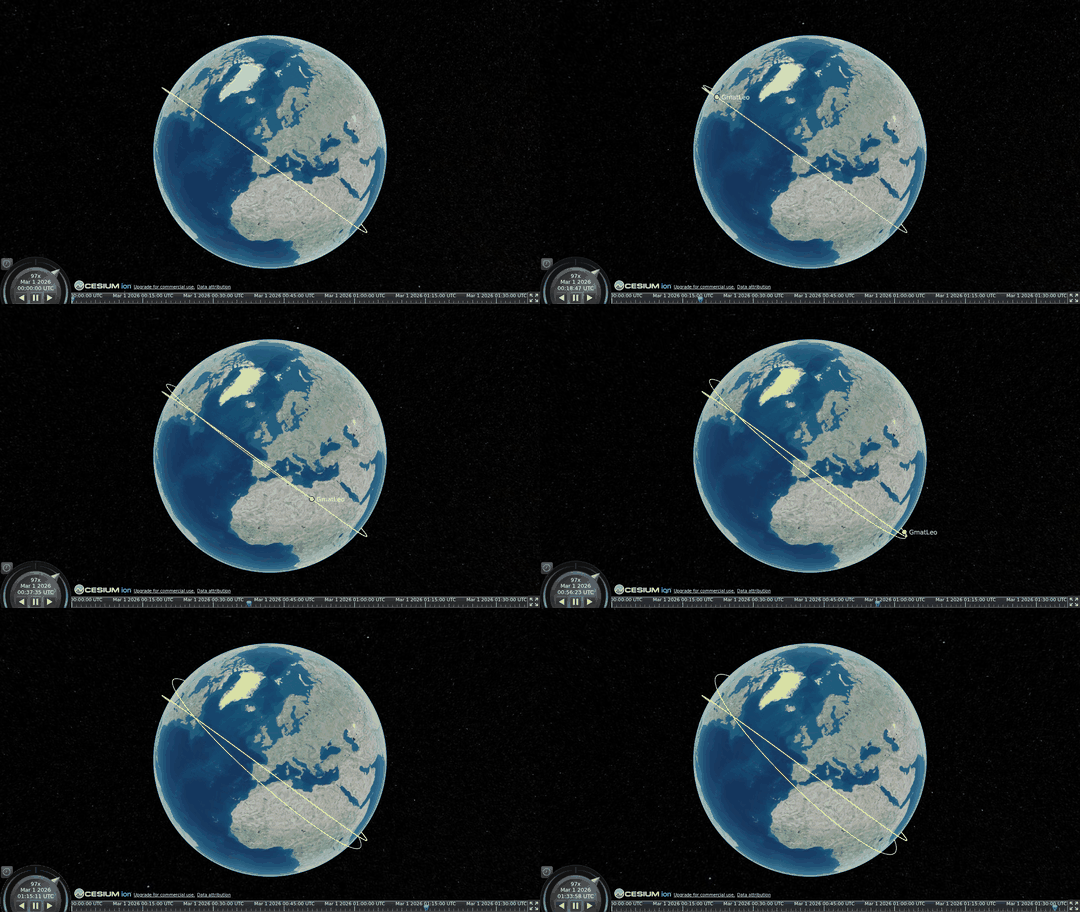
gmat-czml takes an already-computed trajectory — a state history in the canonical state-series form — and turns it into a CZML document a Cesium client can animate: an orbit path, a ground track, a point and a label, on a clock synthesized from the trajectory's own time span. The input is not GMAT-specific — any producer that yields the canonical schema (a TLE propagation, a transfer, a read ephemeris) renders through one call.
from gmat_czml import to_czml

czml = to_czml(trajectory, ground_track=True)
czml.save("orbit.czml")        # load in any Cesium viewer
It does not propagate, integrate, or solve orbits, and it does not render: the producer is the source of geometric truth, and Cesium is the renderer. gmat-czml is the bridge between them.
Where to go next
- Getting started — install, the one call, and how to view the result.
- Canonical input schema — the state-series contract every producer feeds.
- Orbit path and ground track — what each entity becomes in CZML.
- Maneuvers, attitude, and contacts — the annotation layers, with styling over all of them.
- Command line — the
gmat-czml convertsubcommand. - Gallery — runnable examples with rendered output.
- API reference — the full public surface.
What it is not
- Not a propagation or astrodynamics library — it converts a trajectory, it does not compute one.
- Not a CZML renderer — it produces CZML; Cesium renders it.
- Not a format parser — reading trajectory files is delegated to the org's format-I/O library.
- Not a hosted service — viewing happens in your own Cesium client.
Installation
gmat-czml requires Python 3.10, 3.11, or 3.12.